
RD Web Access Stopped Loading? The XSLT Removal, Microsoft's November 2026 Update and Your Custom Portal
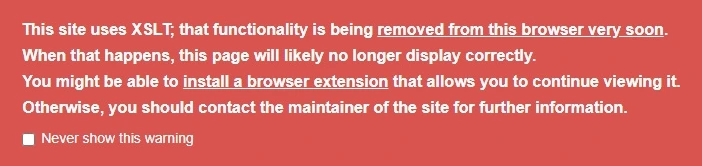
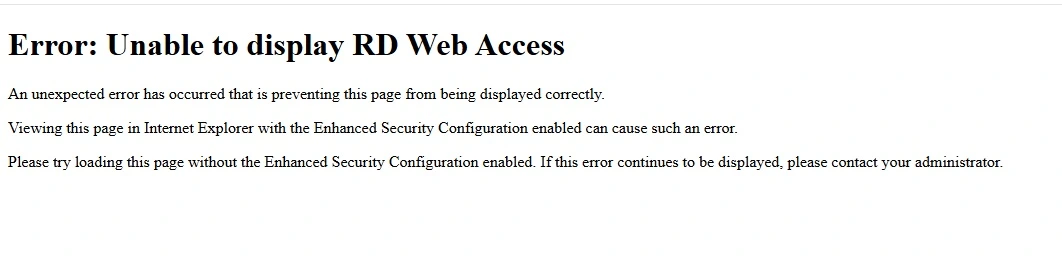
For the last few months, anyone opening an RD Web Access portal in Chrome or Edge has seen a red warning bar across the top of the page. Most people closed it and carried on. On 17 November 2026 the warning came true: Chrome 158 switched XSLT off, and RD Web Access portals that had not been updated stopped loading. Users now see “Error: Unable to display RD Web Access” instead of their applications.
Microsoft has already shipped the fix. This article explains what changed, which update to install on each Windows Server version, and, most importantly if your portal is customized, how to bring your own look and features back. We also cover the alternative many of our customers are now considering: moving to DartRelay.
What happened
RD Web Access has always worked in an unusual way. Its pages do not send ready-made HTML to the browser. They send XML data, the list of your applications, desktops and messages, together with a stylesheet called Site.xsl, and the browser itself uses XSLT to turn the two into the page you see.
XSLT in the browser is a technology from the early 2000s that very few websites still use, and it has been a steady source of security problems. Google, Mozilla and Apple have all agreed to remove it from their browser engines, and Chrome published its plan in October 2025. RD Web Access, included with every Windows Server from 2016 to 2025, was one of the best-known casualties.
Timeline
| Date | What changed |
|---|---|
| Late summer 2026 | Chrome starts showing the red “This site uses XSLT” warning bar on pages that depend on it, including RD Web Access. |
| 6 October 2026 | Microsoft publishes KB5130994, describing the failure and some temporary workarounds. |
| 10 November 2026 | The November 2026 Windows Server security update ships a new RD Web Access that builds its pages on the server, with no browser XSLT needed. |
| 17 November 2026 | Chrome 158 turns XSLT off for everyone. Portals without the update stop loading. |
| Around 10 December 2026 | Microsoft Edge 159 turns XSLT off by default. |
| 17 August 2027 | Chrome 176 removes the last escape hatch, the XSLTEnabled policy. Edge plans the same at version 176. |
The fix: install the November 2026 update
Microsoft's resolution is simple: install the November 2026 Windows security update, or any later cumulative update, on every RD Web Access server. With it, RD Web Access renders its pages on the server and sends normal HTML to the browser, so it no longer matters what the browser supports.
| Windows Server version | November 2026 update |
|---|---|
| Windows Server 2016 | KB5131291 |
| Windows Server 2019 | KB5131085 |
| Windows Server 2022 | KB5131090 |
| Windows Server 2025 | KB5131080 |
These are cumulative updates, so a later monthly update for the same version includes the fix too. Microsoft's article covers Windows Server 2016, 2019, 2022 and 2025.
Step by step
- Back up first. Copy the RD Web Access folder, normally
C:\Windows\Web\RDWeb, including itsweb.configfiles. If your portal is customized, this copy is your reference for rebuilding it (see below). - Install the update on every RD Web Access server, from Windows Update, WSUS or the Microsoft Update Catalog, and restart.
- Test in Chrome or Edge. Sign in, open your applications and desktops, and launch one. Then right-click the page and choose View page source: it should start with
<!DOCTYPE html. If you see<?xmlinstead, the page is still being sent as XML, which usually means an older or edited page is in place. - Remove any workaround. If you switched XSLT back on with a browser policy while you waited, Microsoft asks you to turn it off again once the update is in.
On a portal that has never been customized, that is all: the standard Microsoft look comes back and works in every browser.
Can't patch today?
Two stopgaps keep users working while you schedule the update:
- Turn XSLT back on in the browser with the
XSLTEnabledpolicy, through Group Policy, Intune or the registry on each user's device, for example:reg add "HKLM\SOFTWARE\Policies\Google\Chrome" /v XSLTEnabled /t REG_DWORD /d 1 /freg add "HKLM\SOFTWARE\Policies\Microsoft\Edge" /v XSLTEnabled /t REG_DWORD /d 1 /f
This only buys time: the policy stops working at version 176, in August 2027, and it does nothing for users on devices you do not manage. - Use the RD Web Client at
https://your-server/RDWeb/webclient/. The HTML5 client does not use XSLT and keeps working.
Customized portals: your look and features have to be rebuilt
This is the part that catches organisations out. The update fixes the standard RD Web Access pages. If your portal was customized, and almost every portal we have worked on over the years was, the customization does not carry over by itself.
Under the new model, the four shipped pages (Default.aspx, login.aspx, Desktops.aspx and password.aspx) contain Microsoft's new server-side renderer, and they must stay exactly as Microsoft ships them. That changes the rules for every kind of customization:
| How the portal was customized | What happens after the update |
|---|---|
Edited .aspx pages | An older or edited page does not contain the new renderer. Restoring your old pages brings back the broken portal. |
Direct edits to Site.xsl | They still show today, but Site.xsl belongs to Windows and a future update can replace it, wiping your design. |
| Your own stylesheet, selected by a page link or an IIS redirect or rewrite rule | Ignored. The server reads its stylesheet straight from disk, so those pointers no longer have any effect. |
| Features that transformed XML in the browser with JavaScript | They stop working once browsers lose XSLT, and have to be rebuilt. |
| Stylesheets with embedded scripts, network includes or XSLT 2.0/3.0 | Not supported by the new renderer. The page falls back to raw XML until they are removed. |
| Scripts or tools that read RD Web Access XML | The page now returns HTML. They need to add ?rdwaformat=xml to the address. |
In practice, every customized portal needs its customization redone: the branding and layout, and the advanced features built into it, such as self-service password reset, announcements, application grouping and multi-site aggregation.
How to bring your custom portal back
Microsoft's supported way to customize the new RD Web Access is a separate stylesheet that the server applies for you:
- Leave the shipped pages alone. Do not copy your backed-up
.aspxfiles over the updated ones. - Move your design into its own stylesheet, for example
SiteLayout.xslin the RD Web AccessPagesfolder, rather than editingSite.xsl. It must use XSLT 1.0 only, with no embedded scripts and no files loaded from the network. - Point RD Web Access at it with the
RDWebSiteXsltPathsetting in theappSettingssection of the application'sweb.config:
The value must be a path inside the web application (starting with<appSettings> <add key="RDWebSiteXsltPath" value="~/Pages/SiteLayout.xsl" /> </appSettings>~/or/), not a drive or network path. If it is missing or wrong, RD Web Access falls back to the standard look. - Rebuild the features that depended on edited pages or on XSLT in the browser, so they work with server-rendered pages.
- Test everything users touch: the sign-in page, the applications and desktops lists, folders and icons, launching a resource, and the password change page if you use it.
Microsoft's own guide, Migrate RD Web Access customizations to server-side XSLT, has the full details, including a temporary diagnostic switch for comparing the old and new behaviour. It is not a way back: once browsers have dropped XSLT, the old model cannot return.
Rebuilding RD Web Access interfaces is what Custom Interface Solutions has done for more than a decade. If your portal has lost its look or its features, talk to our engineers about rebuilding it on the new model, or see our RD Web Access customization page and live demos.
Or take the moment to move to DartRelay
If your customization has to be rebuilt anyway, it is a good time to ask whether RD Web Access is still the right front door. This time a browser change broke it; next time it may be a Windows update, because anything built by editing Windows' own files is exposed to whatever Windows servicing does next.
DartRelay is our own remote application and desktop delivery product, and it removes that problem at the root.
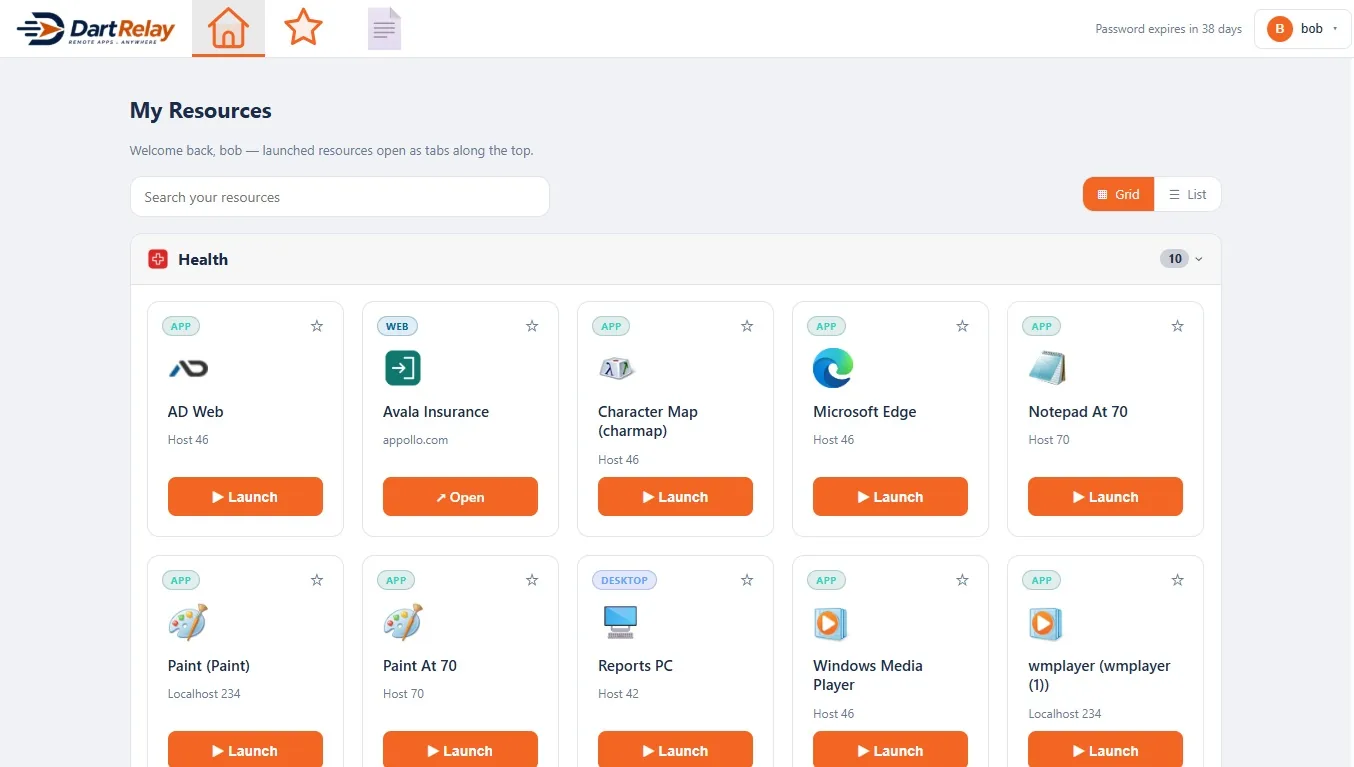
- Nothing to break when Windows updates. DartRelay is a modern web application of its own. It does not use XSLT, IIS pages or any file that Windows servicing replaces.
- Branding that survives upgrades. Ready-made themes, a theme editor and a page builder are part of the product, and your themes are stored in DartRelay, not in edited system files.
- Keep your existing servers. DartRelay is agentless: it connects to your current Windows Servers and desktops over RDP, with nothing to install on them. Your published applications stay where they are.
- Nothing for users to install. Applications and desktops open in a browser tab, with no Remote Desktop client, no .rdp files and no VPN.
- One server instead of a set of roles. The portal, administration and session relay run as one service on Windows or Linux.
- The advanced features are built in. Two-factor sign-in, picture CAPTCHA and lockout, announcements, terms of use, session timeouts and a full audit log come with every licence, with no custom development.
- Files and printing that feel local. Open and Save As use the user's own file browser, and print jobs go to the printer on their desk with no drivers on your hosts.
- Kiosks and public apps. Automatic launch rules and anonymous access open the right application the moment someone arrives.
- Multi-tenancy. One installation can serve several web addresses, each with its own brand.
Pricing is published: at the time of writing, a base licence is $300 a year including 5 Relay Seats, and each additional seat is $15 a year, with every feature included.
Checklist
- Install the November 2026 update (or later) on every RD Web Access server, and check the page source starts with
<!DOCTYPE html. - Remove any
XSLTEnabledbrowser policy once the servers are updated. - If your portal is customized, do not restore old pages: move the design into a separate stylesheet set with
RDWebSiteXsltPath, and rebuild the features. - Or skip the rebuild and move to a portal that Windows updates cannot break.
Need a hand?
We can rebuild your customized RD Web Access portal on Microsoft's new model, or help you move to DartRelay with your existing servers. Talk to our engineers, try the 30-day DartRelay free trial, or see both side by side in our live demos.