
Multi-Tenancy and Custom URL Branding with DartRelay
Managed service providers, IT departments that serve several business units and software vendors that host their applications for customers all face the same question: how do you give each customer a portal that feels like their own without running a separate deployment for every one of them?
With most remote application delivery products the answer is "you can't, at least not easily". With DartRelay it is a standard feature called Tenancy & Branding. One installation can serve many customers, each on its own web address, with its own look, its own seat allowance, its own notices and its own terms.
How it works: addresses, bindings and tenants
Tenancy in DartRelay is built on three simple ideas:
- Address: the hostname people type into their browser, such as
apps.contoso.comorportal.fabrikam.com. - Binding: ties an address to settings of its own: a theme, sign-in options, access rules and more.
- Tenant: the customer or department the binding serves, with its own Relay Seat allowance.
When someone opens the portal, DartRelay looks at the hostname they used and applies the matching binding. Only the hostname matters, not the port or protocol. Exact names win over wildcards, and longer wildcards win over shorter ones, so *.eu.acme.com can have different branding from *.acme.com. An address without a binding simply shows your default portal.
What each address can have
Its own brand
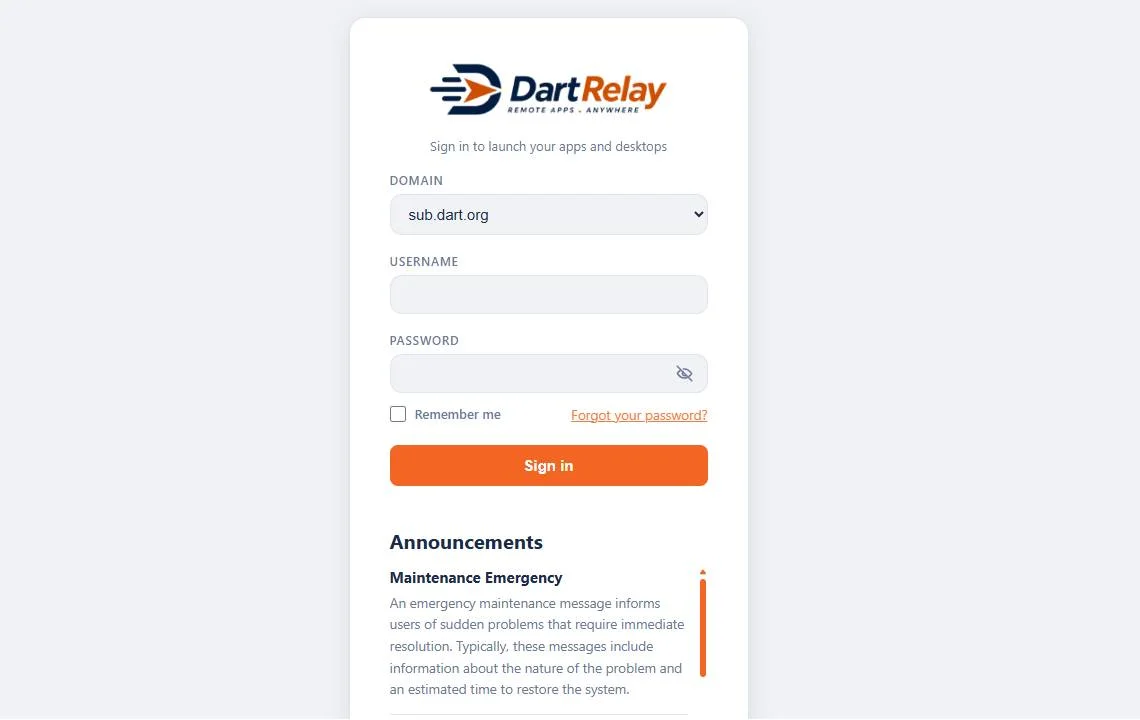
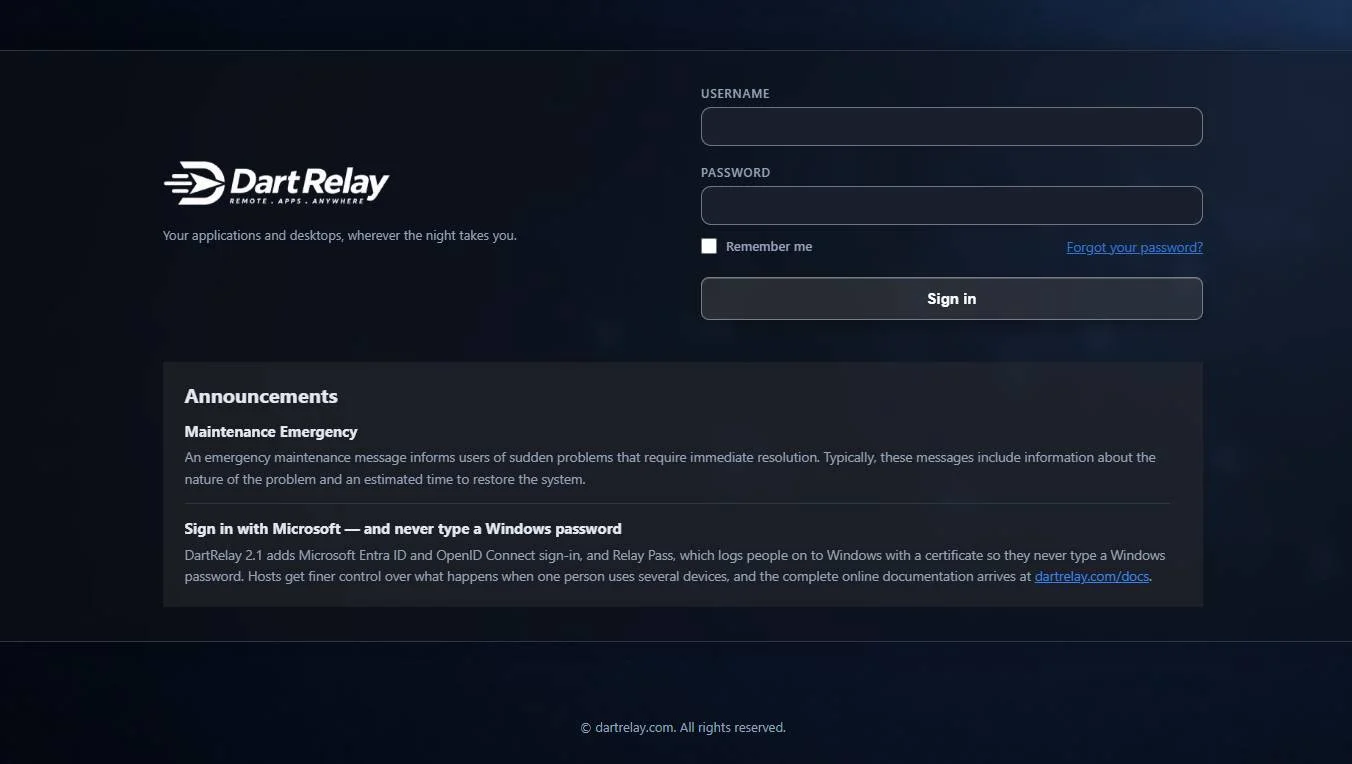
Every binding chooses a theme: logo, colours, sign-in page, home page and footer. DartRelay ships with a library of ready-made themes and a block editor for the sign-in and home pages, so you can create a theme per customer in minutes. Contoso sees Contoso's logo and colours; Fabrikam sees Fabrikam's. Neither sees the other, or yours.
Its own seat allowance
Each tenant can have a Relay Seat cap. Every launch is checked against the tenant's cap and then against the licence, and both must have room. Seats count against the tenant of the address the session started from. Allocations are slices of your licence, and because tenants rarely peak at the same moment, you can allocate more in total than the licence holds while each tenant stays within its own cap. When a tenant reaches its limit, its users see a message about their own allocation only, and the tenant's chosen contacts receive an email.
Its own announcements
Announcements can be aimed at chosen addresses. Tell one customer about their planned maintenance on Saturday without alarming everyone else, or show a notice on every address when the whole platform is being updated.
Its own terms of use
Agreements are scoped by address too. Each customer can ask its users to accept its own acceptable use policy before they continue, while you keep a shared agreement for everyone.
Its own sign-in rules
For each address you decide who may sign in: everyone, only chosen portal or Active Directory groups, or guests with no sign-in at all. You can set allowed and blocked network addresses for that hostname, pick a default sign-in domain and choose whether the domain list appears. Automatic launch rules can also differ per address, so one customer's users can go straight into their main application.
Custom URLs in four steps
- Create a DNS record for the new hostname, pointing at your DartRelay server or load balancer.
- Make sure the certificate covers the name. Use a certificate from your own CA, upload a SAN or wildcard certificate, or let DartRelay request and renew a free Let's Encrypt certificate for a public name.
- Add a binding under Appearance, Tenancy & Branding, entering the hostname (wildcards are allowed) and choosing a theme.
- Set the tenant: its seat cap, notification contacts, access rules, announcements and agreements. Then test in a private browser window.
Changes take effect within about a minute, and the Tenancy & Branding page shows which theme the current address resolves to, which makes checking easy.
One installation, many customers
Here is how a managed service provider might use it. With a 50-seat licence and two clients:
| Contoso | Fabrikam | |
|---|---|---|
| Address | apps.contoso.com | portal.fabrikam.com |
| Theme | Contoso light theme | Fabrikam dark theme |
| Seat cap | 30 | 25 |
| Who may sign in | Contoso staff group | Fabrikam staff group |
| Terms of use | Contoso policy | Fabrikam policy |
| Announcements | Platform maintenance notice shown on both | |
Both clients share one database, one set of hosts, one licence, one administrator console and one audit log, so you manage everything in one place. Each user still sees only the applications they are entitled to, wherever they sign in. A good practice is to restrict your own provider address to your staff group, so that your clients' users always use their own branded address.
Why this matters
- For service providers: onboard a new customer in minutes, with their own branded portal, without another server or another licence.
- For enterprises: give each subsidiary, brand or department its own portal while IT keeps one platform to secure and patch.
- For software vendors: deliver your Windows application to every customer under their own name, or yours.
Other products typically need a separate site or farm per customer to achieve the same result, and their branding rarely goes further than a logo. In DartRelay, all of this is included in every licence.
Let us design your tenant themes
Branded portals are what Custom Interface Solutions has done for twenty years. If you would like a polished theme for each of your tenants, our designers can build them for you: see DartRelay Themes or ask us for a quote.
Ready to try it? Start the 30-day free trial and set up your first two tenants today.